1
Step 01
Sign up for a Mark My Prompt account
Create your free account to get a personal prompt library that syncs across every browser and device. No credit card required.
Create your free account2
Step 02
Generate an API key
In the app, open Settings → API Keys and click + New Key. This key is what links your browser extensions and editor plugins to your account.
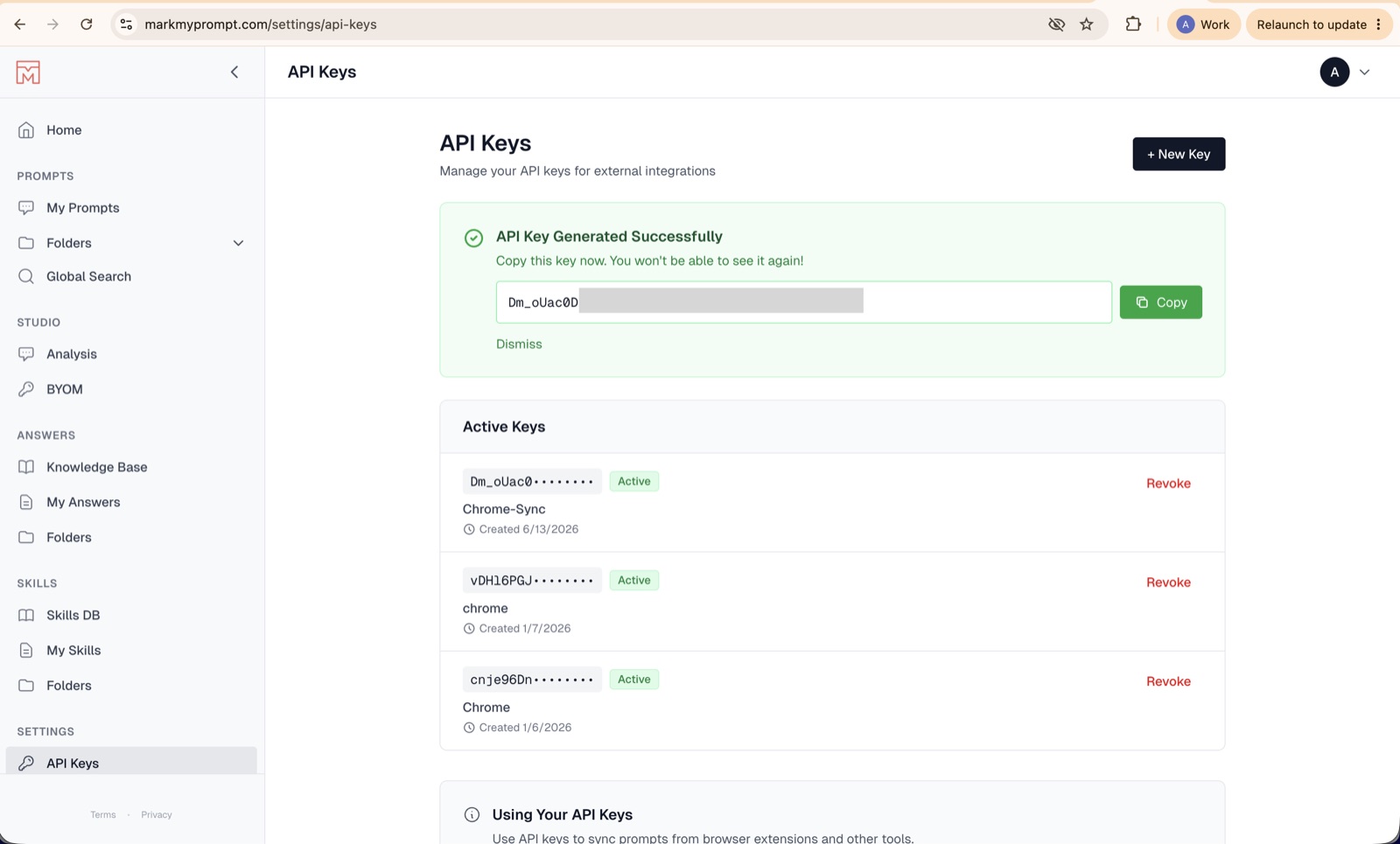
Copy it immediately. For security, the full key is shown only once — you won’t be able to see it again after you leave the page.
3


4
Step 04
Activate the plugin with your API key
Open the extension, paste the API key you generated in Step 2, and connect. The plugin is now linked to your account and ready to capture prompts.

5
Step 05
Start syncing & build your brain
Save your favorite prompts and AI-generated answers as you work across ChatGPT, Gemini, Claude, Cursor and more. Everything flows into your searchable, AI-enriched library — your second brain for prompts.
