AI Prompt Manager

You had the perfect prompt.Don't lose it again.

Mark My Prompt captures, enriches, and syncs your best AI prompts across every tool — so the right prompt is always one search away.

Works with· ChatGPT·Gemini·Claude·Cursor·Grok·+ more
markmyprompt.com/library
Saved from ChatGPT
"Act as a senior security engineer and review this code for common vulnerabilities — XSS, injection, auth issues..."
AI Tags
#code-review #security #engineering
Accuracy
87
Depth
73
Synced across all devices
Works natively with your favorite AI tools
ChatGPT
Gemini
Claude
Perplexity
Cursor
VSCode
Grok
X / Twitter
+ any AI tool
The MMP Engine

Every prompt, unified.
Enriched. Searchable.

Capture from any AI tool, IDE, or feed — the MMP engine automatically tags, scores, and indexes every prompt into your personal knowledge base.

MMP ENGINE SOURCES Cursor VSCode ChatGPT Gemini Grok Perplexity X / Twitter AI BRAIN Tags #code-review #security Taxonomy Dev Tools → Code Gen Accuracy Score: 87 / 100 Depth Score Score: 73 / 100 Knowledge Index Searchable · 247 similar
8+
Sources supported
5
AI enrichments per prompt
<1s
Processing time
The problem

Your best prompts disappear every day.

You invest real time crafting prompts that get great results — then they vanish into chat history, never to be found again.

Buried in chat history

That brilliant prompt is somewhere in conversation #312 — between a grocery list and a half-baked idea. Good luck finding it.

"I know I wrote this exact prompt last month. I just can't find it."
Scattered across five places

Notion docs, Google Docs, Slack threads, sticky notes. Every system you've tried has become another place to search through.

"My prompts are in at least 5 places and none has the one I need right now."
Rewriting the same prompts

You know the exact phrasing that gets results. But since you lost it, you're spending 20 minutes rediscovering what you already knew.

"I spent half an hour rewriting a prompt I had perfected two weeks ago."
See it in action

Watch how it works.

From saving a prompt to finding it seconds later — see the full workflow in under two minutes.
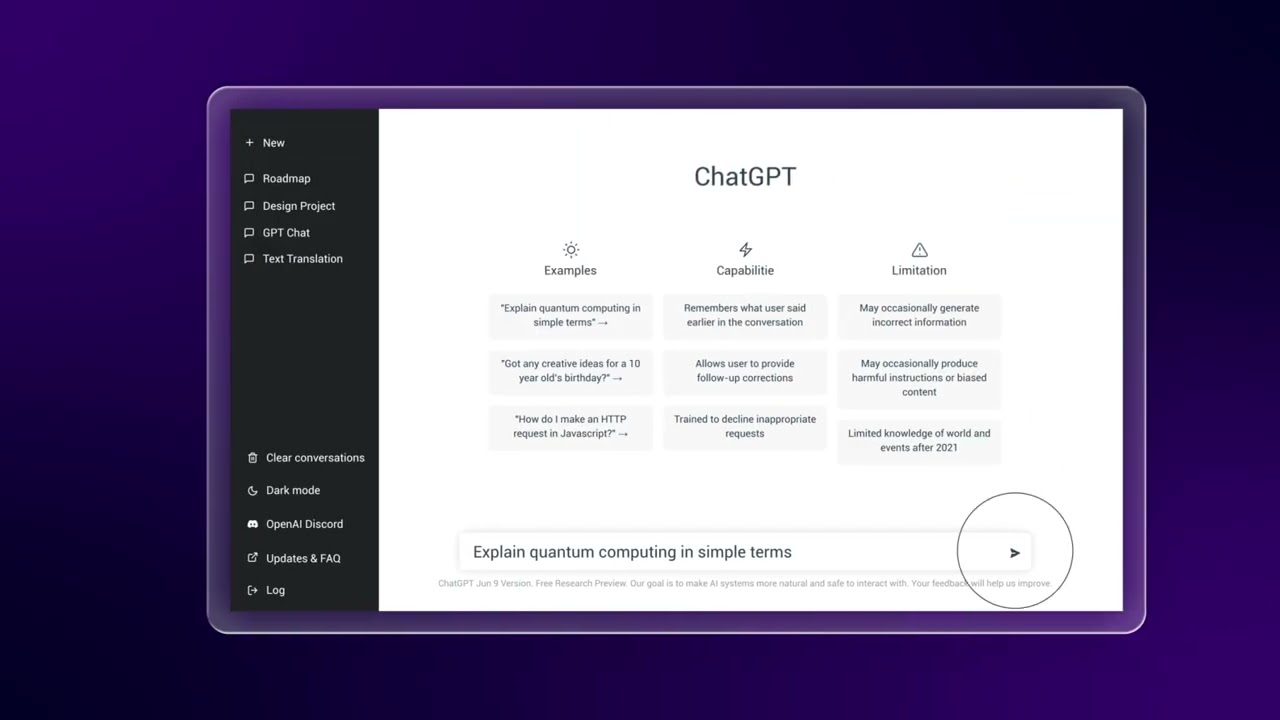
youtube.com · Mark My Prompt Demo
Mark My Prompt demo video
Mark My Prompt — Save, organize, and reuse your best AI prompts
Features

Built for how you actually use AI.

Capture, score, benchmark, share — everything you need to turn scattered prompts into a searchable second brain.
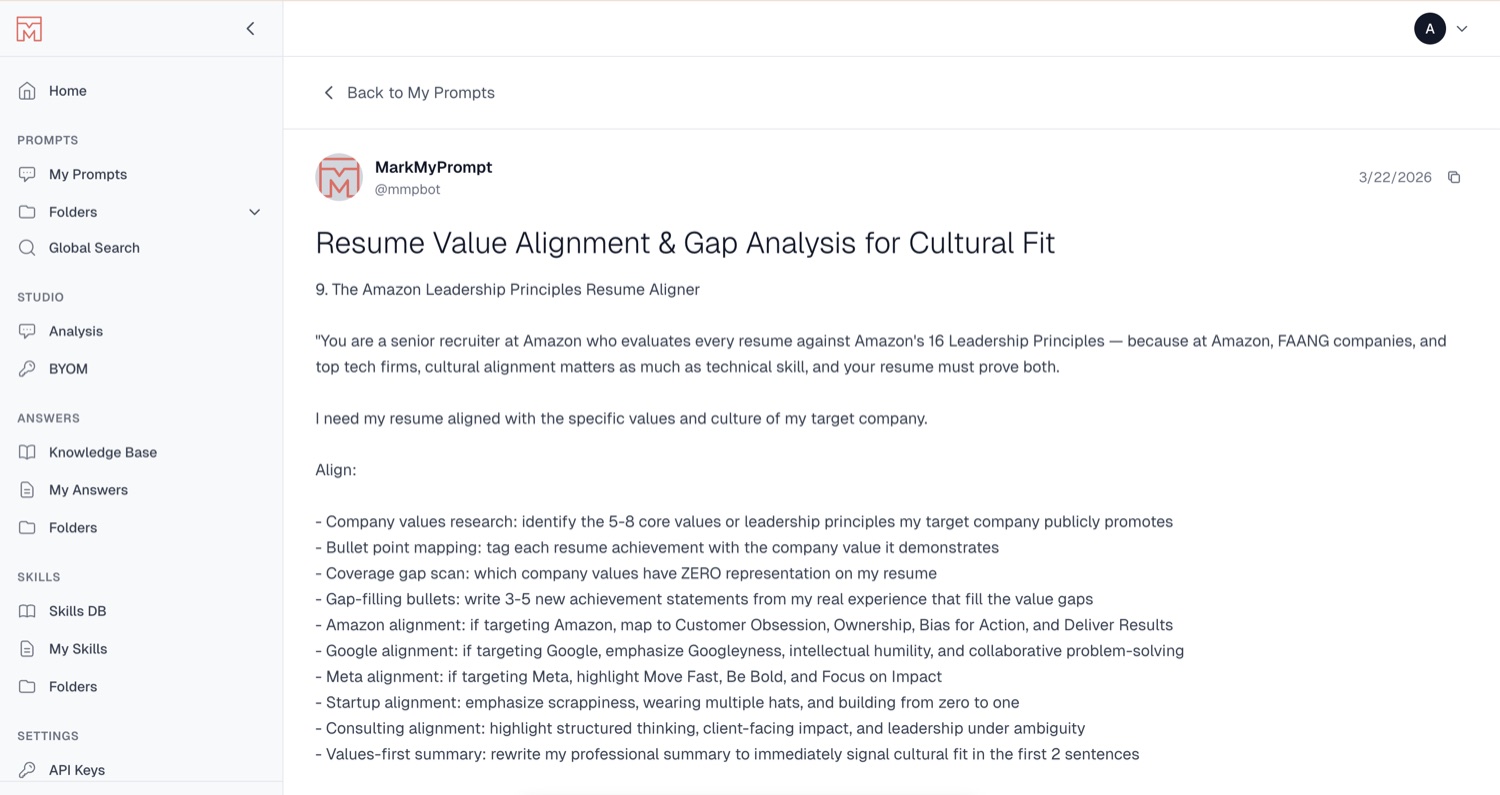
markmyprompt.com/library
A saved prompt displayed in the Mark My Prompt library
01 — Save

Save any prompt in one click.

Spot a prompt that works? Save it instantly — captured with its platform, tags, and full context, then shown in a clean, readable library.
Works from any AI platform
Full prompt & context preserved
Full-text search finds it in seconds
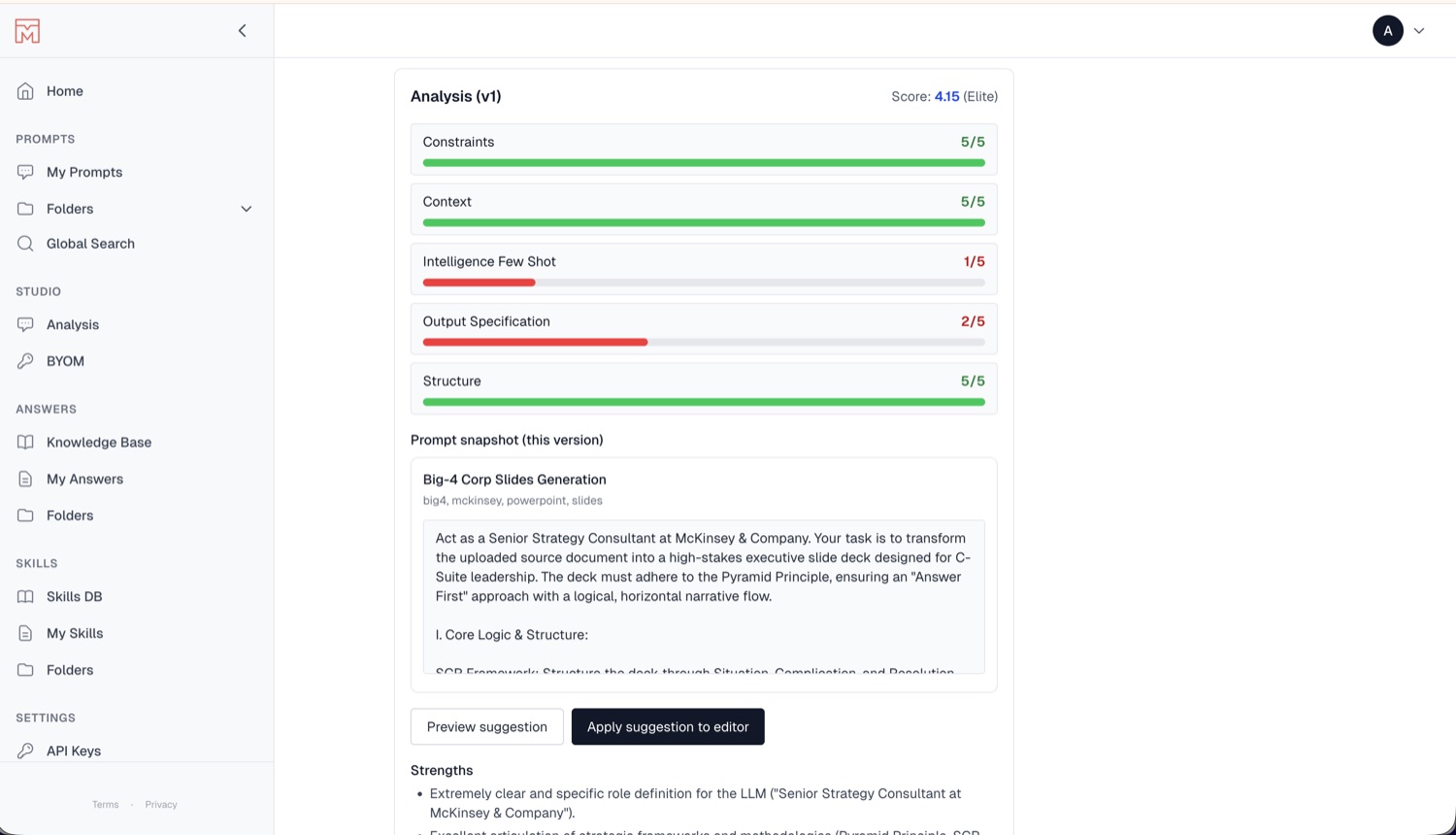
markmyprompt.com/analysis
AI prompt quality analysis with an overall score and per-dimension breakdown
02 — Analyze

Every prompt, scored by AI.

Mark My Prompt grades each prompt across constraints, context, structure and more — with an overall quality score and concrete suggestions to make it better.
Elite-grade quality score
Per-dimension breakdown
One-click improvement suggestions
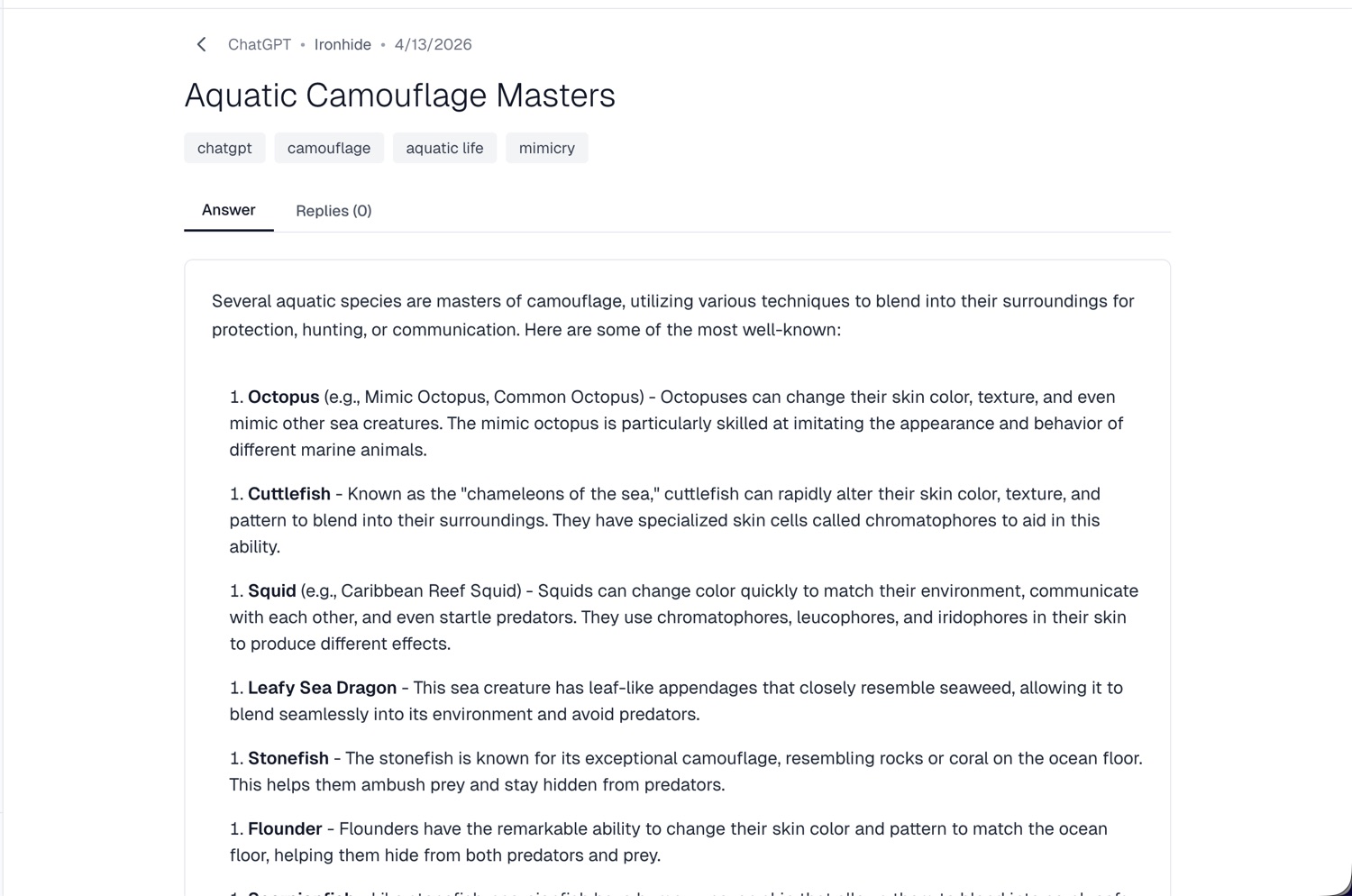
markmyprompt.com/answers
An AI answer synced from ChatGPT, tagged and saved in Mark My Prompt
03 — Answers

Sync answers, not just prompts.

Save the AI responses worth keeping — synced straight from ChatGPT, Gemini, Claude and more, auto-tagged and searchable right next to your prompts.
Capture answers from any LLM
Auto-tagged & organized
Synced across all your devices
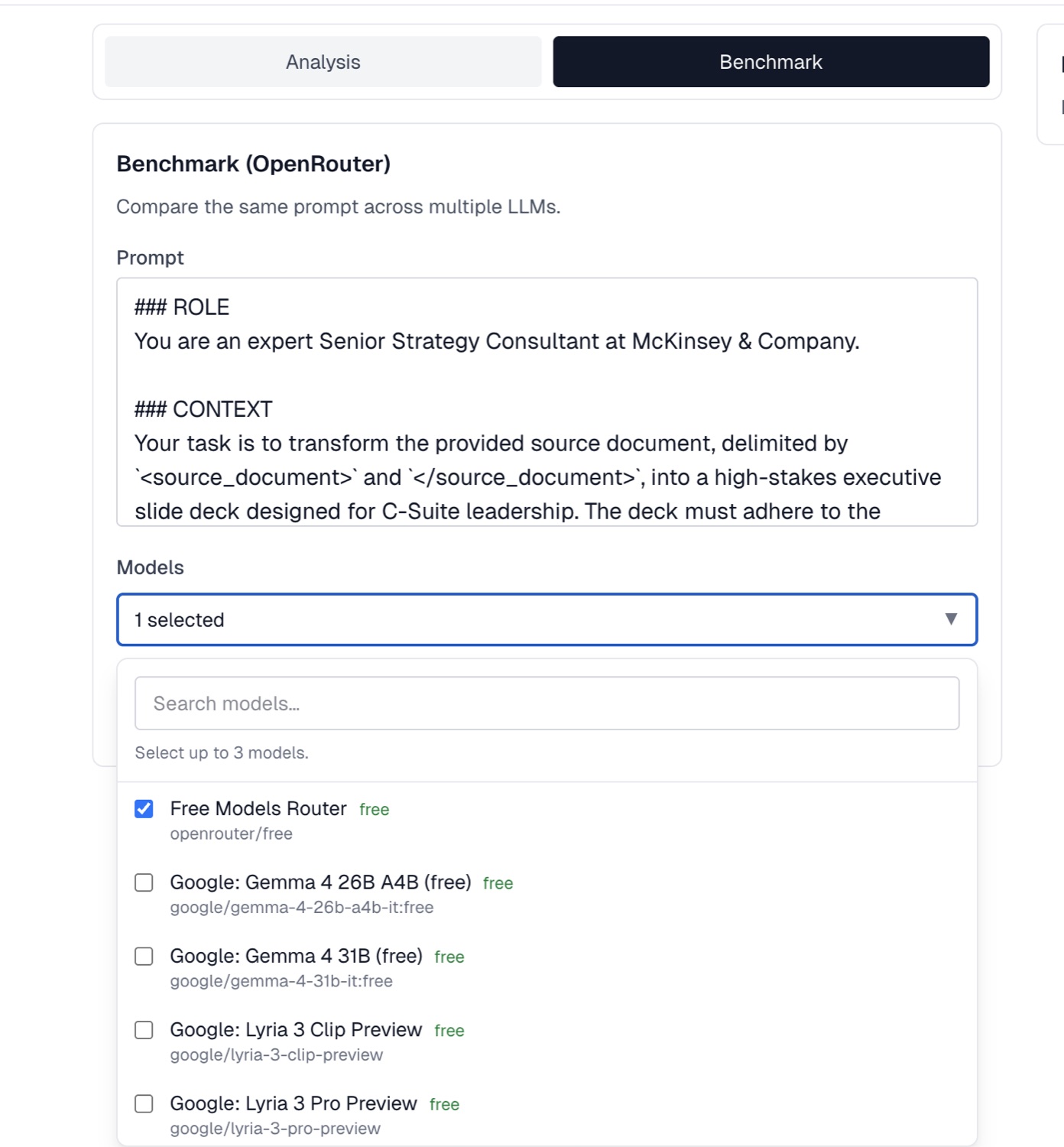
markmyprompt.com/benchmark
Benchmarking a prompt across multiple LLMs with OpenRouter
04 — Benchmark

Benchmark prompts across models.

Run the same prompt across multiple LLMs side by side and compare the results — so you always know which model gives you the best answer.
Compare up to 3 models at once
Powered by OpenRouter
Pick the best output every time
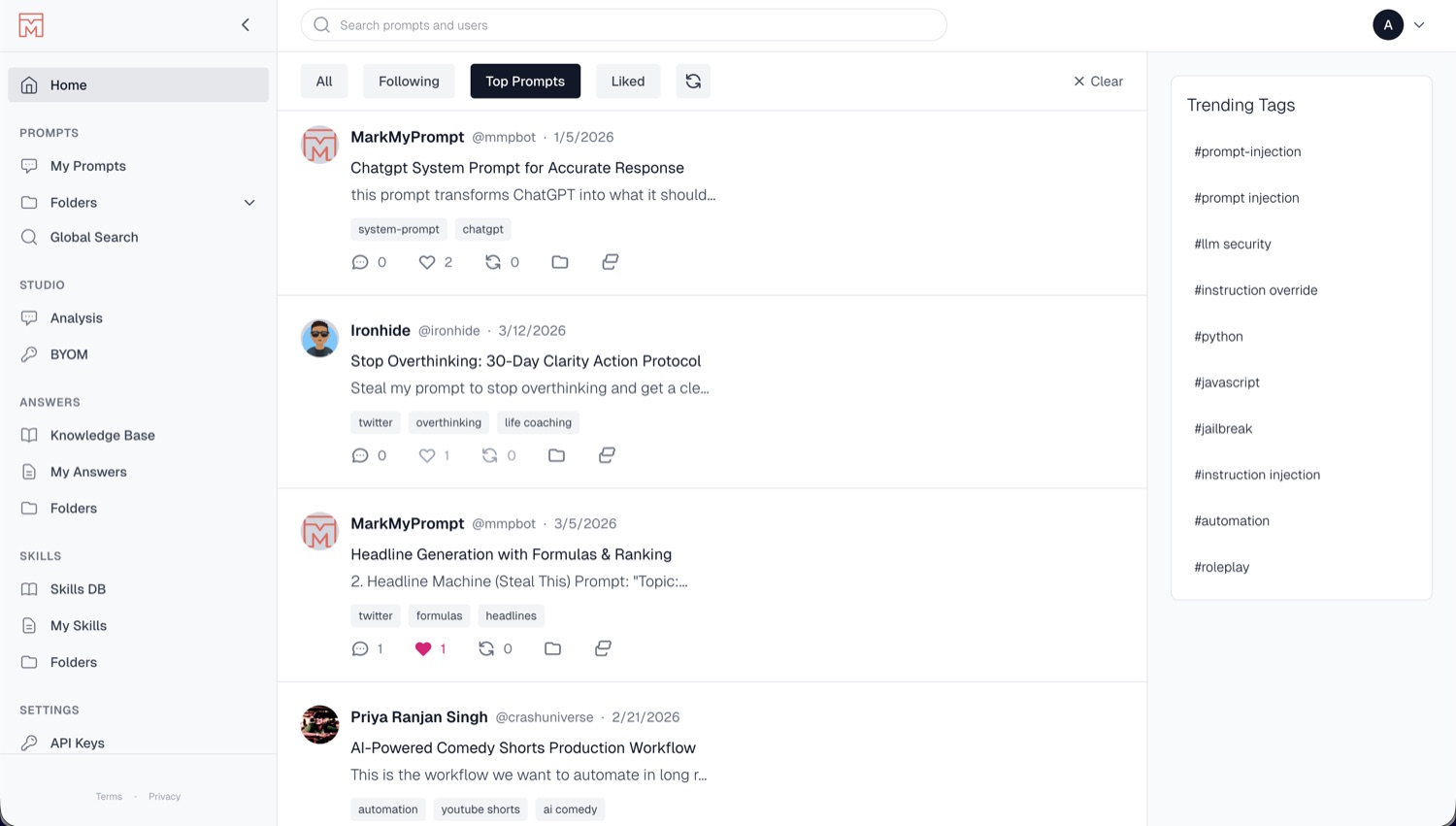
markmyprompt.com
A public feed of shared prompts with trending tags
05 — Discover

Discover the best prompts, shared.

Browse a live feed of public prompts from the community — follow creators, like and remix top prompts, and explore trending tags.
Public, X-style prompt feed
Follow, like & remix
Trending tags & top prompts
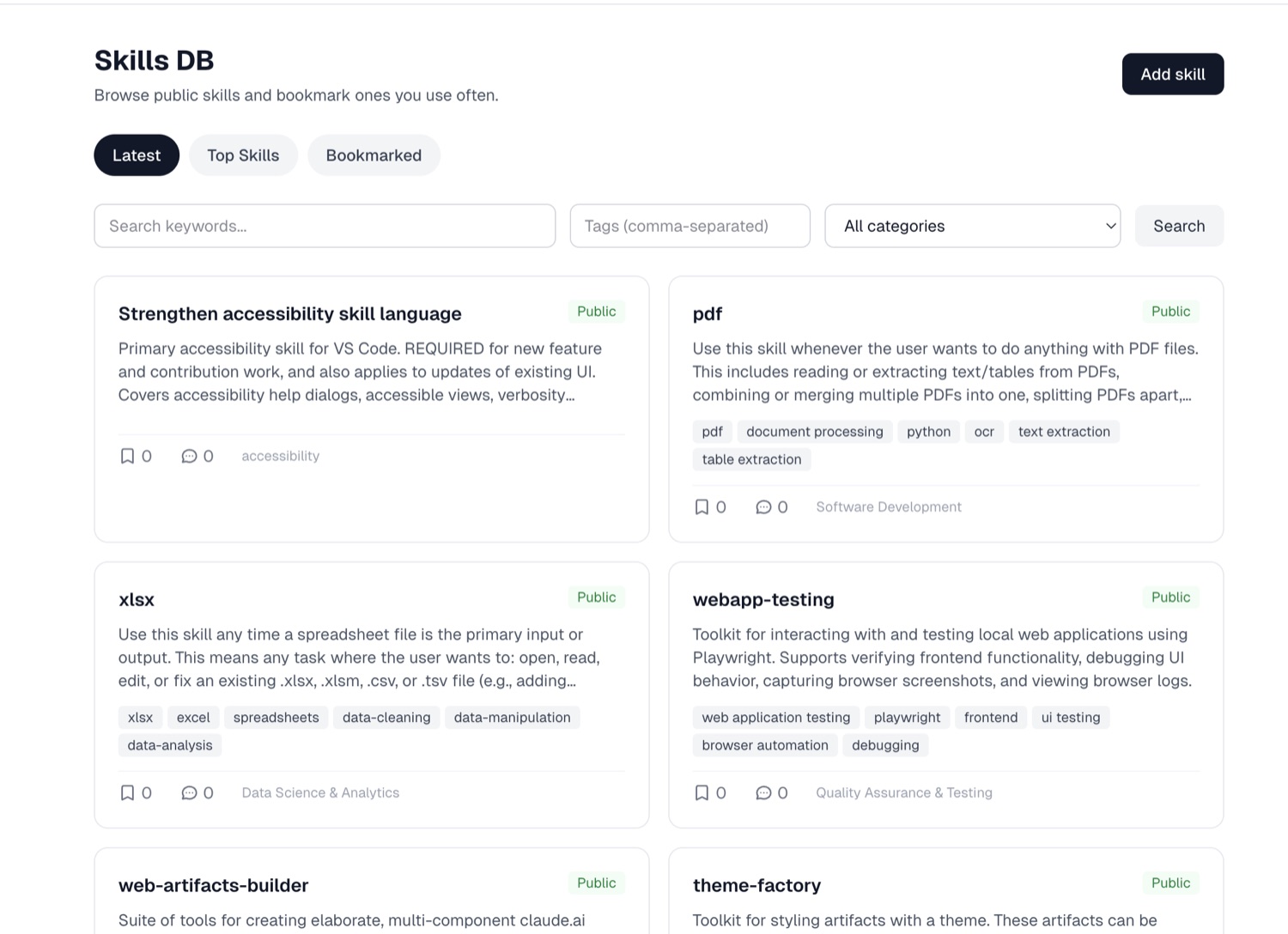
markmyprompt.com/skills
The OpenSkills database of public, reusable skills
06 — Skills

A shared library of skills.

Browse the OpenSkills database, bookmark the skills you use most, and publish your own — reusable building blocks for better AI workflows.

Public OpenSkills database
Bookmark & reuse instantly
Organized by category
Getting started

Up and running in under a minute.

No setup. No configuration. Install and immediately start saving the prompts that work for you.

1
Install the extension

Add Mark My Prompt to Chrome in one click. No account needed to get started.

30 seconds to install
2
Save prompts as you work

When a prompt gets a great result, click the icon to save it. AI handles tagging automatically.

One click per prompt
3
Find and reuse anywhere

Search your library from any AI tool. Pull up the exact prompt and use it again — instantly.

Seconds, not minutes
Pricing

Start free. Upgrade when ready.

No credit card. No expiring trials. Start building your prompt library today — free, forever.

Free
$0
Free forever
  • Up to 50 saved prompts
  • Full-text search
  • Manual tagging & folders
  • All AI platforms supported
  • 1 device
Enterprise
Custom
Tailored to your team
  • Unlimited saved prompts
  • AI auto-tagging + scoring
  • Sync across unlimited devices
  • Team prompt library & sharing
  • Prompt version history
  • Export library (JSON / CSV)
  • Priority support

Stop losing your best AI prompts.

Every prompt you don't save is a prompt you'll eventually rewrite. Start building a library that works — free, right now.

No credit card · Works with ChatGPT, Gemini, Claude, Cursor & more